
The Ultimate Guide to EasyWList: Move Your Vinted Wardrobe to Wallapop in Seconds
The second-hand market is exploding, but sellers face an invisible wall: time. You’ve probably wondered how to sell on Wallapop if you already have your entire wardrobe set up on Vinted, without sacrificing your free afternoons copying texts, saving photos, and re-uploading everything by hand.
Doing this manually steals valuable minutes for every single item. If you have 50 items, we’re talking about hours of boring, unpaid work. Luckily, technology is on our side.
(If you already know the tool and meet the requirements, download the free EasyWList Beta for Windows here).
Find out in 3 clicks if EasyWList is for you
Before getting into the details, we don’t want to waste your time. Answer these quick questions and instantly discover if this tool will revolutionize your sales, or if, on the contrary, it’s not your time yet:
Bingo! You're a Perfect Match 🎯
EasyWList fits perfectly with what you need. Move your wardrobe to Wallapop in minutes and save hours of work.
We love your profile! 🚀
Currently in this Beta phase, we don't 100% meet your profile yet, but we will in the future. Leave us your email, and we'll notify you so you receive exclusive discounts and access.
Step by step 🌱
Honestly, with your current volume, you can manage your wardrobe manually without a problem. Save our website in favorites and come back when you have more clothes to sell!
Everything EasyWList Does for You (Step-by-Step)
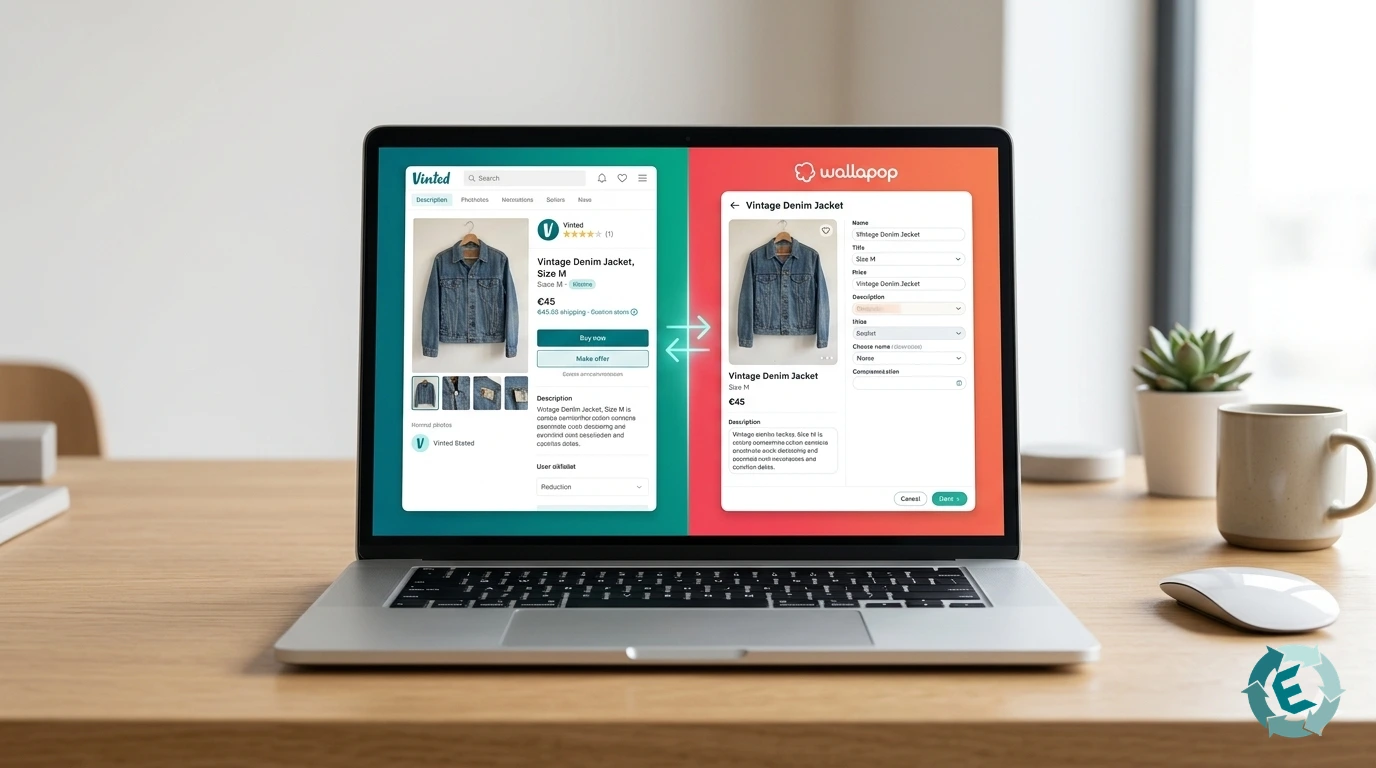
EasyWList isn’t just a simple “copy and paste” tool; it’s a complete control center for managing your virtual wardrobe. It’s designed to eliminate repetitive tasks by dividing your work into three key phases:
1. Smart Extraction (Works while you do other things)
Easy download by URL: Simply paste the link from your Vinted search and let the tool do its magic.
Background work: You don’t need to leave the scraper tab open. While EasyWList recovers your listings, you can keep browsing or watching videos.
At your own pace: You don’t have to download your entire wardrobe at once. You can import a few items one day and continue another.
Your photos, always organized: The tool saves photographs in a structured way on your computer, automatically creating folders with the product title so you can find them instantly.
2. Inventory Management and AI Magic
Editing inside the app: You can edit texts directly within EasyWList and keep them polished before publishing.
AI-Optimized Texts: If you run out of ideas, connect our Artificial Intelligence and generate perfect titles and descriptions by selecting the tone you prefer (formal, friendly, etc.).
Search and Filters: Find any garment in seconds and sort by Date, Price, or SKU.
Status Control: Classify your garments as “In inventory”, “Uploaded”, or “Sold”. When exporting, uploaded or sold items will disappear from view so they don’t get in your way.
3. Ultra-Fast Upload to Wallapop
Automatic Connection: After logging in the first time, EasyWList remembers the path to Wallapop so you don’t have to repeat the process.
Fluid Navigation: In the export tab, you can jump from one product to another using arrows, with visual thumbnails confirming which garment you are uploading.
Magic Autofill: Below the image, you’ll see a quick summary of the Brand, Size, and Condition. With a single click on our special button, EasyWList will automatically place the saved price, title, and description into Wallapop.
How to Get Started: Step-by-Step Video Tutorials
We know theory is fine, but you want to see how it works in real life. Installation is super simple, but so you don’t miss any details, we’ve prepared a visual library.
In our tutorials section, you’ll find short, straight-to-the-point videos where we teach you how to install the extension correctly, how to make your first upload in less than 1 minute, and how to connect the AI to write for you.
Doubts, Security, and Support
It’s normal to have questions when installing new software. We want to be 100% transparent with you:
Is it safe? Yes. EasyWList does not hack platforms or spam. It’s an assistant that speeds up your clicks. You have total control before publishing.
Windows Blue Warning: When installing, Windows SmartScreen may show a blue screen. It’s a common “false positive” for new programs. You just need to click “More info” and “Run anyway”.
Is it free? During this Beta phase, it is 100% free, and its users will have exclusive advantages in the future.
Can’t find the solution or have doubts about compatibility? We have everything documented.Visit our Complete FAQ Center.
Being a tool in the Beta phase, your feedback is worth gold. If you encounter any errors or have ideas for new features, write to us at easywlist.soporte@gmail.com or open a quick ticket on our website. Contact the Support Team.
*Don’t miss the opportunity to join our community during this beta phase. Expanding your reach by publishing on multiple platforms is the key to selling faster, but doing it manually is exhausting. With EasyWList, you transform hours of tedious work into just a few clicks.
*Our new integration with Artificial Intelligence not only improves your listing’s visibility with optimized titles and perfect descriptions, but it also gives you back your free time. Join hundreds of sellers today who are already maximizing their profits stress-free and without risk of blocks. Your wardrobe has a lot of potential; let our technology do the heavy lifting for you.