
How to take the best photos to sell on Vinted and Wallapop: the best tips and tricks to sell more
When someone opens the Vinted or Wallapop feed, their thumb is on autopilot. They scroll, scroll and scroll until a photo stops them. If yours doesn’t do it, it doesn’t matter what price you’ve set, how well you’ve described the item or how good the brand is. The listing simply doesn’t exist for that person.
The good news is you don’t need any special equipment. With your mobile, natural light and a couple of very specific tricks, you can get photos that compete perfectly with any professional seller.
In this guide I’ll explain exactly how to do it, step by step.
The first photo is the one that decides everything
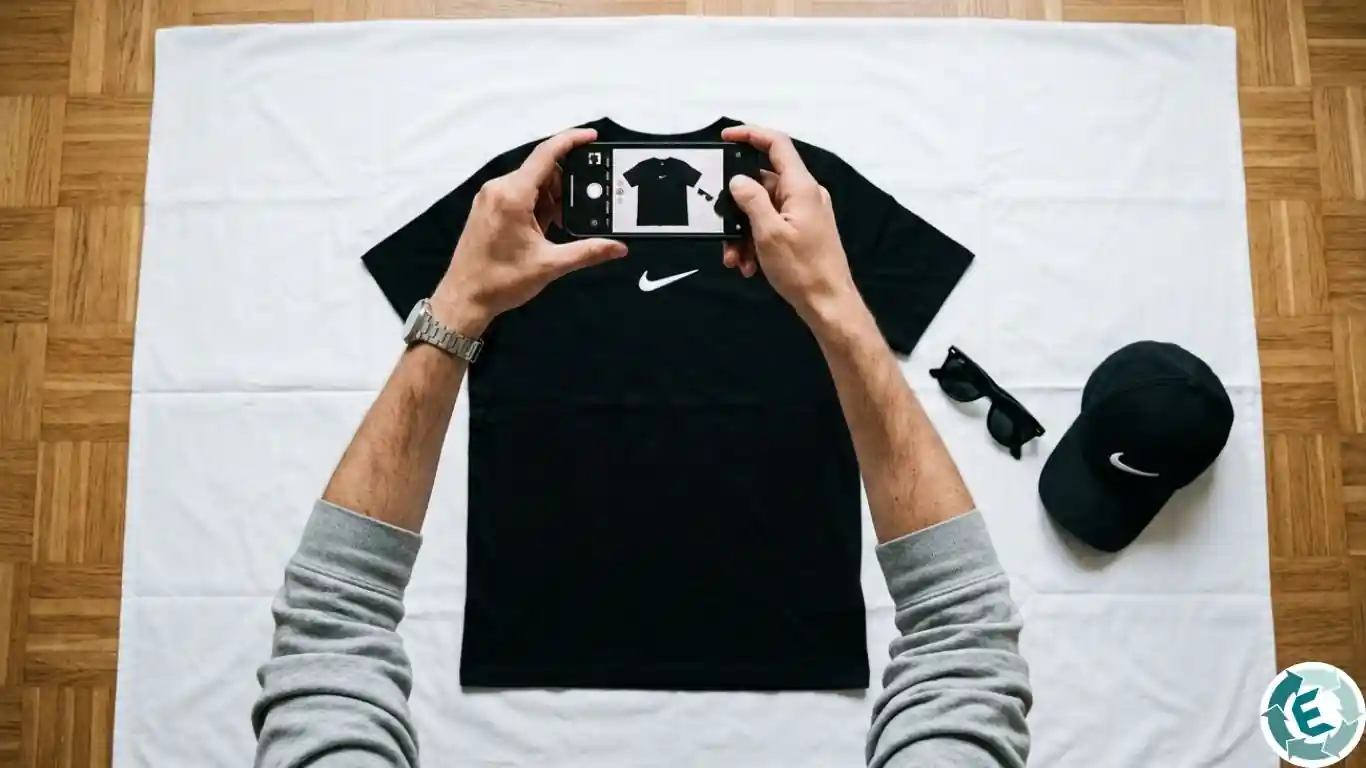
The cover photo of your listing is the only thing the buyer sees before deciding whether to click or scroll past. That’s why it has just one mission: to show the item clearly, cleanly and attractively. Nothing more. No distractions.
This has an important implication that many people overlook: the first photo is not the place to show details. Not the care label, not the brand logo, not the flaws, not the back (unless the back is precisely what makes the item special). All that comes later, in the following photos. The cover photo has to win them over; the rest of the series has to inform.
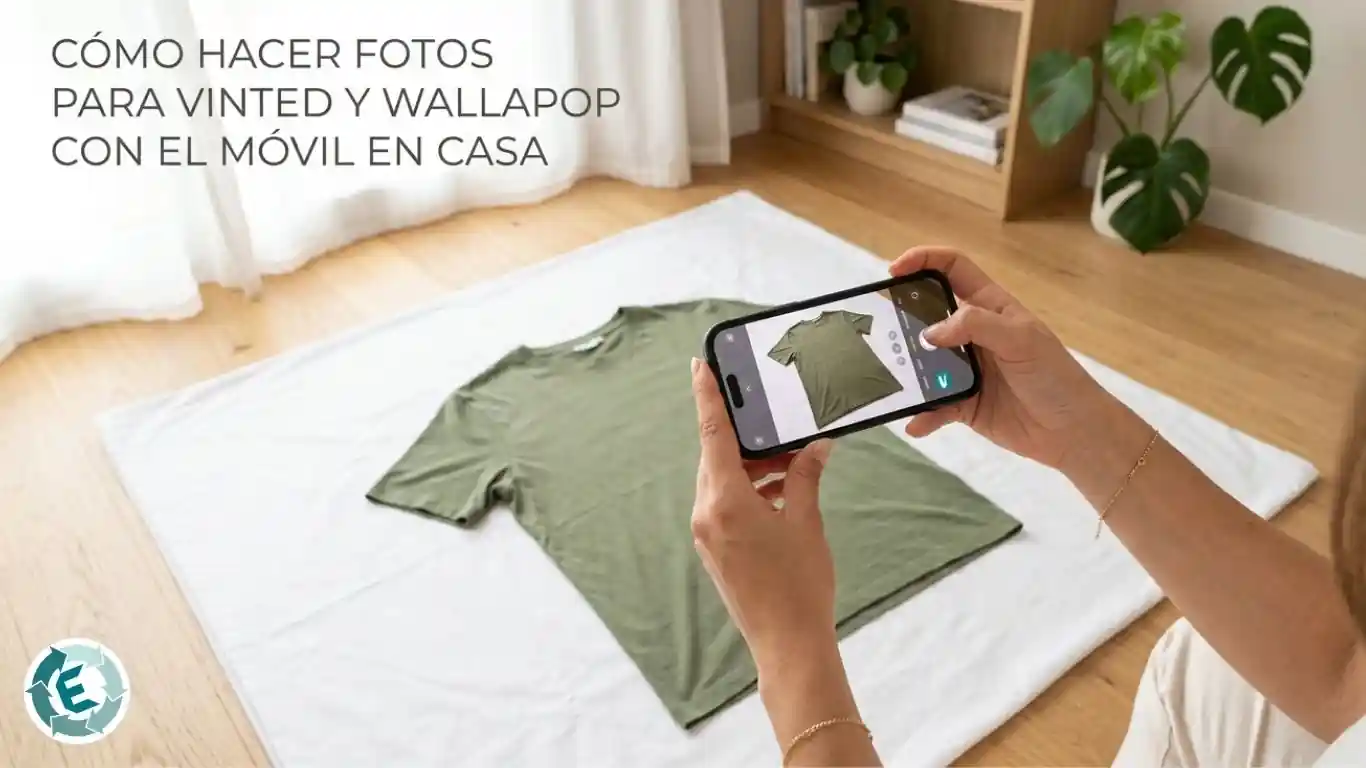
And how do you get that clean cover photo without overcomplicating it? The simplest option that works best is to lay the item flat on the floor or on a white sheet, make sure there are no visible creases, and photograph it from above. You don’t need a hanger, you don’t need a mannequin. An item laid flat on a neutral background already conveys everything the buyer needs to see to click.
According to a Appinio e-commerce usability study, 74% of second-hand buyers dismiss a listing immediately if the first image shows the item creased or poorly arranged. A careless cover photo lowers the click-through rate regardless of the price you’ve set.
The 3 rules for lighting and framing at home
To get clothing photos that sell, you need three fixed settings: front natural light, a smooth neutral background and the camera completely straight in front of the item. With these three elements you eliminate the shadows that distort the fabric and avoid the colour shifts that cause buyers to receive something different from what they saw on screen.
According to Vinted Europe data, listings with front natural light and sharp photos of internal labels sell 42% faster in the European market. Sunlight filtered through a white curtain is your best ally: it reveals the real colour of the fabric and reduces later disputes over shade differences.
To put this into practice consistently, follow this process:
1. Choose a neutral background that contrasts with the item. Matt white wall, light grey or plain beige are your best options. Rule out glossy tiles, backgrounds with cluttered furniture or any surface that creates reflections.
2. Place the mobile at the height of the centre of the item and completely parallel to the wall. If the mobile is tilted, the listing will look larger or smaller than it really is.
3. Tap the fabric on screen to fix the focus and brightness. Adjust the exposure slider so light colours don’t come out blown out and dark ones don’t look flat. Aim to capture the same colour in the photo as in real life. A tip: If the item looks slightly different in colour in the photo compared to real life, I recommend explaining this in the item description.
A specific note for exclusive or branded items: if you’re selling high-value clothing (limited-edition trainers, luxury bags, vintage branded pieces) include in the additional photos any element that certifies authenticity: purchase receipt, certificate of authenticity, original box, security tag. Vinted explicitly requires you to keep these proofs if you sell branded items and can ask for them at any time. Showing them in the photos builds immediate trust and speeds up the sale.
That said, photos are only half the work. The other half is the text: a well-crafted title and description are what turn a view into a sale. Our guide on how to create the perfect listing on Wallapop and Vinted has everything you need to write copy that ranks and sells.
Detail shots: how to show flaws without killing the sale
Photographing flaws honestly doesn’t put buyers off: it draws them in. The buyer who already knows there’s a small scuff on the collar or a loose stitch at the cuff is the buyer who won’t open a dispute when the parcel arrives. And in the world of second hand, that is worth its weight in gold.
Including macro shots of seams, brand logos, wash labels and any areas of normal wear reduces “item not as described” claims by 55%, according to Wallapop dispute audits. These photos act as a visual contract: the buyer accepts the condition of the item at the moment they pay.
How to do it well:
Photograph the flaw with a very close, sharp detail shot.
Place a small everyday object next to it (a coin, a fingertip) so the buyer can gauge the actual size of the damage.
Don’t try to hide anything with the angle or the light. If the buyer discovers something that wasn’t in the photos, you have a problem. If they see it before buying, you have a happy customer.
This transparency is especially important when selling high-demand brands. Photographing authentication codes, the reverse of embroidery and the inside of labels also protects your account from the platforms’ automatic moderation systems, which can flag listings suspected of selling fakes.
Flat lay: how to take photos of outfits that sell entire lots
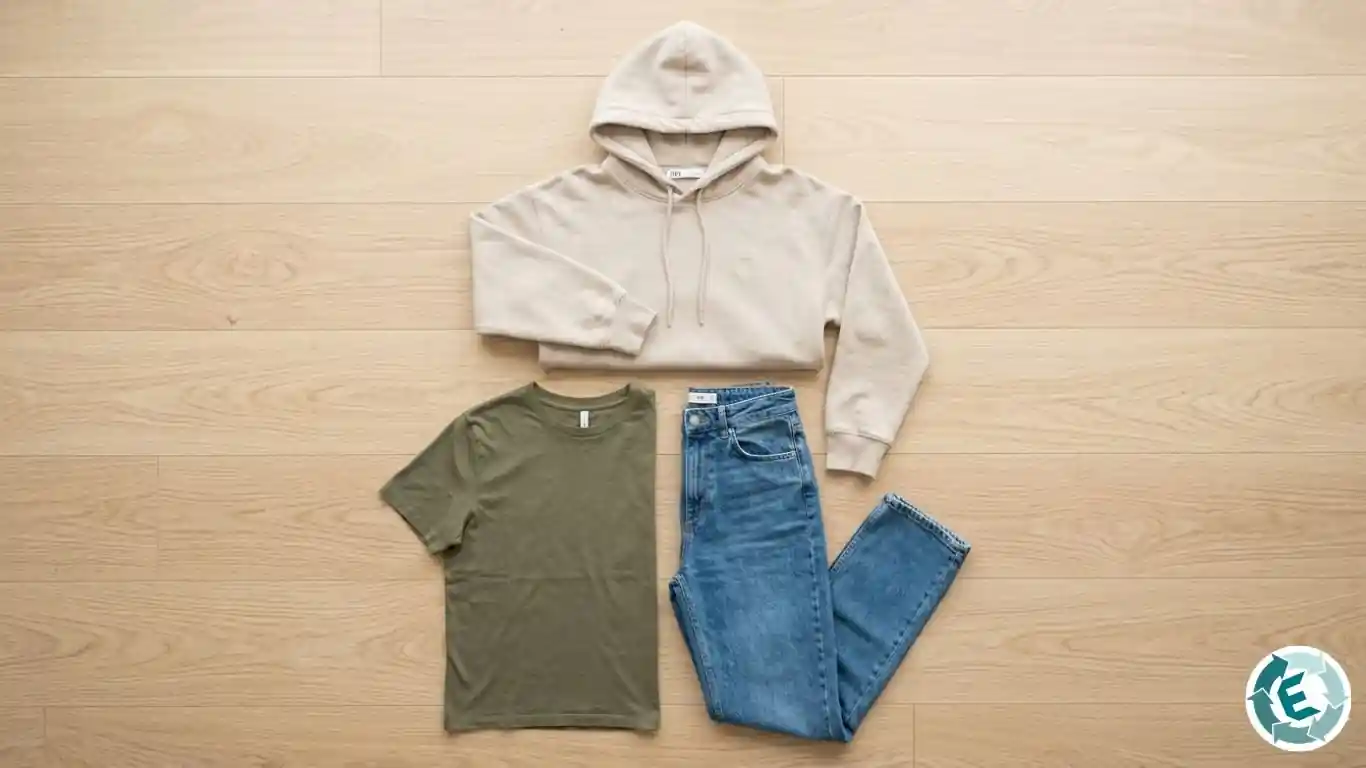
Flat lay (photographing clothing laid flat on the floor viewed from above) is the technique that works best for selling lots of several items at once. Buyers searching on Vinted or Wallapop don’t only look for individual pieces: they also look for inspiration. A well-presented outfit gives them both.
To execute it well: lay all the items on a clean surface (light wooden floor, plain fabric, white sheet), combine them in a coherent way and photograph them from directly above, with the mobile completely horizontal. The composition has to look ordered, not piled.
The practical benefit: a lot presented as an outfit sells faster than the same items separately, because the buyer visualises the final result instead of having to imagine it. And for you it means one listing, one shipment and greater income per transaction. If you don’t yet have a Wallapop profile and are thinking of taking the leap, our guide on how to start selling on Wallapop if you already use Vinted explains why it’s worth it and how to do it without wasting time.
AI images on Vinted and Wallapop: what you need to know before using them
With the explosion of AI tools for generating and editing images, many sellers wonder whether they can use them to improve their photos or directly create images for their listings. The short answer: carefully, because both platforms have rules that can cost you the listing or the account.
What Wallapop says: its prohibited listings policy (updated in 2025) explicitly includes “inaccurate images or images that do not correctly show the product on offer” and the use of “stock images”. An AI-generated image that doesn’t correspond to the actual item you’re selling falls squarely into this category. Wallapop also prohibits any content that is “false, dishonest or misleading”. If the algorithm or a buyer detects that the photo isn’t of the real item, the listing is removed and the account may be at risk.
What Vinted says: although it doesn’t mention AI by name in its current rules, it requires photos to “demonstrate the authenticity of the item as clearly as possible” and prohibits any misleading content. In practice, using an AI-generated image to represent an item that doesn’t appear in it would be a direct infringement.
What you can do: adjusting the brightness, contrast or white balance of your own photos with the AI tools already built into modern mobiles is perfectly valid, as long as the result is faithful to the real colour and condition of the item. You can also use tools like Remove.bg to remove the background, as long as the item is still yours and is shown accurately.
What is clearly prohibited: using AI to generate an image of something similar to what you’re selling but that isn’t your real item is prohibited on both platforms and is straightforwardly a scam. You also can’t use AI to remove stains, creases or signs of wear with the aim of making the item look better than it is: that is misleading content, generates claims and can lead to account suspension.
The grey area: adding AI-generated decorative backgrounds to real photos of your items is not explicitly prohibited, but if the result alters the colour, texture or proportions of the item it does conflict with both platforms’ rules. It’s not worth the risk. Using misleading images is also one of the most common reasons for being banned. If you want to know what other actions put your account at risk, take a look at our guide to avoiding bans on Vinted and Wallapop.
The simplest rule: if the photo is not of your real item in its real condition, don’t use it.
Frequently asked questions about taking photos for Vinted and Wallapop
How do I take good photos to sell clothing on Vinted with my mobile?
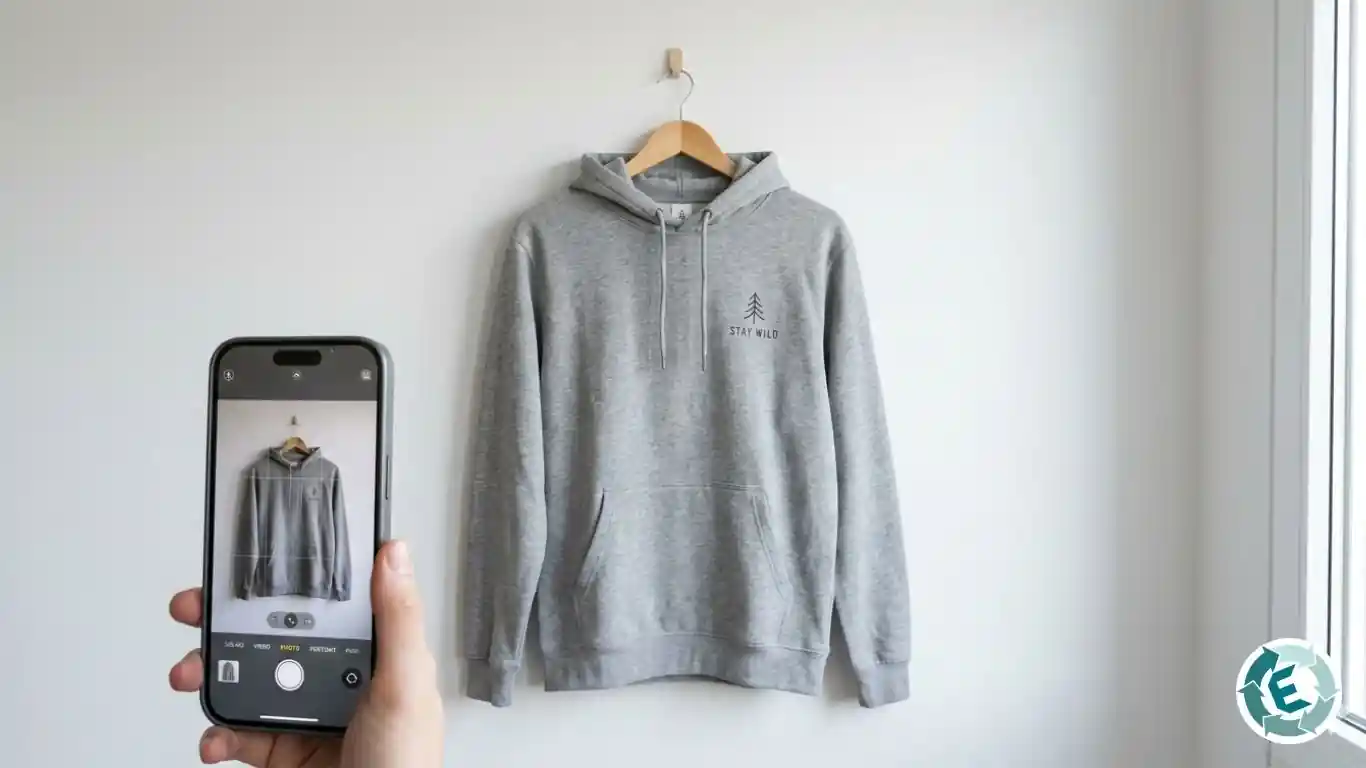
−The most important thing is the light: stand facing a large window with natural light and photograph the item laid flat on a flat surface or hung on a plain wall. No visible creases and no distracting background. That alone gets you 80% of the way there.
Is it better to photograph clothing on a body or on a hanger?
+On a hanger against a neutral wall or laid flat on the floor generally gives better results because the catalogue looks more consistent and professional. Photos on a body only make sense if the item has a very special fit that is better understood on a figure, and always with good lighting.
How do I photograph a flaw without putting buyers off?
+Take a very close, sharp detail shot and place a small object next to it (a coin, a fingertip) to give the buyer a sense of the actual size of the damage. Also describe the flaw in the text. Buyers value honesty: they prefer to buy knowing about a flaw than to get a surprise when they open the parcel.
What background works best to make clothing stand out?
+A completely smooth surface in a neutral tone: matt white, soft grey or light beige, always choosing the one that contrasts best with the item. Avoid glossy tiles, rooms with cluttered objects in the background or any surface that creates reflections and alters the real colours.
Can I use AI-generated or AI-enhanced images in my Vinted or Wallapop listings?
+Wallapop explicitly prohibits images that do not correctly show the real product. Vinted requires photos that certify the authenticity of the item. In practice, you can make basic brightness and contrast adjustments or remove the background, but you can never use AI to generate images of your item from scratch or to hide its real condition. If the photo is not of your item in its real condition, don't use it.
Your photos are ready: now don't let them stay stuck on Vinted
Ironing the clothes, finding the perfect light and doing a proper photo shoot takes time. Time that gets wasted if you then destroy the image resolution by taking screenshots or lose the photos among the 3,000 others on your mobile.
The effort of producing good photos only pays off if those images reach the largest number of buyers possible, and for that you need to be on Vinted and Wallapop at the same time. Doing it by hand, listing by listing, searching for photos, copying the description and filling in the form twice, is the most tedious work that exists in second-hand selling.
That’s why EasyWList exists. Our tool automatically downloads the photos from your Vinted listings in full resolution and saves them in folders organised by item on your computer. No screenshots, no searching through the gallery. When you want to upload the listing to Wallapop, EasyWList injects the images directly into the form with a single click. The full process (from retrieving the listing from Vinted to publishing it on Wallapop) takes under 2 minutes.
Right now the tool is in free beta. Download it, start using it today and multiply the reach of every photo you take.